Install guide · about 2 minutes
Install the StreamPlay4K app
Pick your device. On TVs the free Downloader app installs it with one code; on a phone, one tap. Then sign in with the app code from your login email.
Downloader code
Fire TV, Android TV, Google TV and Nvidia Shield. The app is 3 MB, and updates by itself afterwards.
Device 1 of 3
Fire TV & Firestick
- 01
Get Downloader
On the Fire TV home screen, search for Downloader and install it. It is free, from the Amazon Appstore.
- 02
Allow it to install apps
Settings → My Fire TV → Developer options → Install unknown apps → Downloader → On. No Developer options? Open Settings → My Fire TV → About and press OK on your device name 7 times.
- 03
Type 2073266
Open Downloader, type the code 2073266 and press Go.
- 04
Install
Press Install when the download ends, then Open. The app is now with your apps.
- 05
Sign in
Type the app code from your login email.
In Downloader, type the code:
Then Install, then Open.
What you type at step 3.
Device 2 of 3
Android TV, Google TV & Nvidia Shield
- 01
Get Downloader
Open the Google Play Store on your TV and install Downloader by AFTVnews (free).
- 02
Type 2073266
Open Downloader, type the code 2073266 and press Go.
- 03
Allow and install
When Android asks, allow Downloader to install apps, then come back and press Install.
- 04
Sign in
Open StreamPlay4K from your apps and type the app code from your login email.
In Downloader, type the code:
Then Install, then Open.
What you type at step 2.
Device 3 of 3
Android phones & tablets
- 01
Download
Press the button below on your phone, or open streamplay4k.com/api/app/download in its browser.
- 02
Allow and install
Open the downloaded file. If Android asks, allow your browser to install apps, then press Install.
- 03
Sign in
Open StreamPlay4K and type your app code.
- Download the app (3 MB)
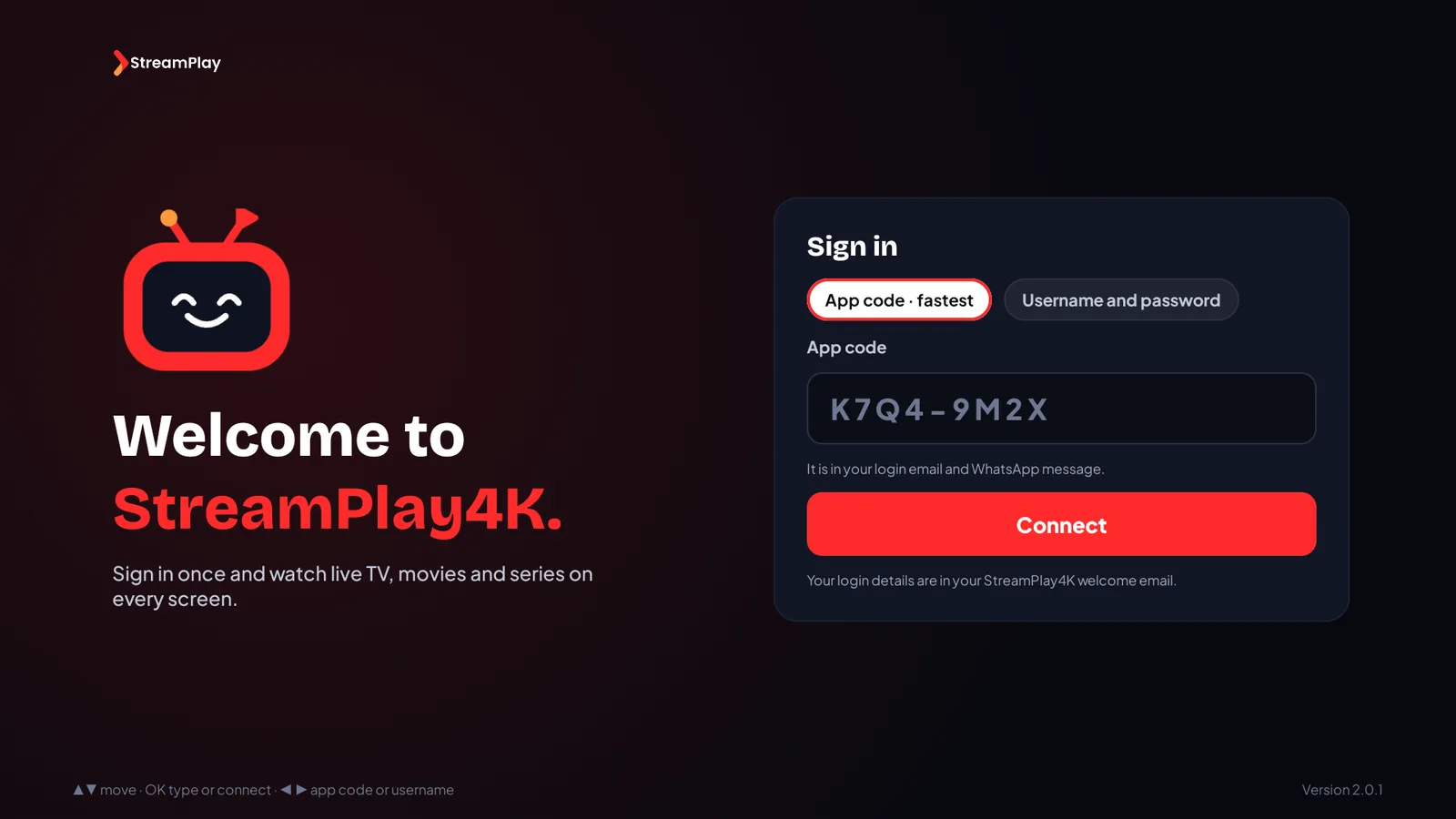
Then sign in with your app code.
Last step
Sign in with your app code
App code · fastest
8 letters and numbers, like K7Q4-9M2X, in your login email and our WhatsApp message.
Username and password
The same ones as in your login email, on the second tab.
No plan yet? Choose a plan or ask for a free trial.
If a step does not work
Still stuck? Message us on WhatsApp: a photo of the screen is usually enough to sort it out.
Amazon, Fire TV, Android, Google TV, Nvidia Shield and Downloader are trademarks of their owners. StreamPlay4K is not affiliated with them.